
Clover Online Casino App
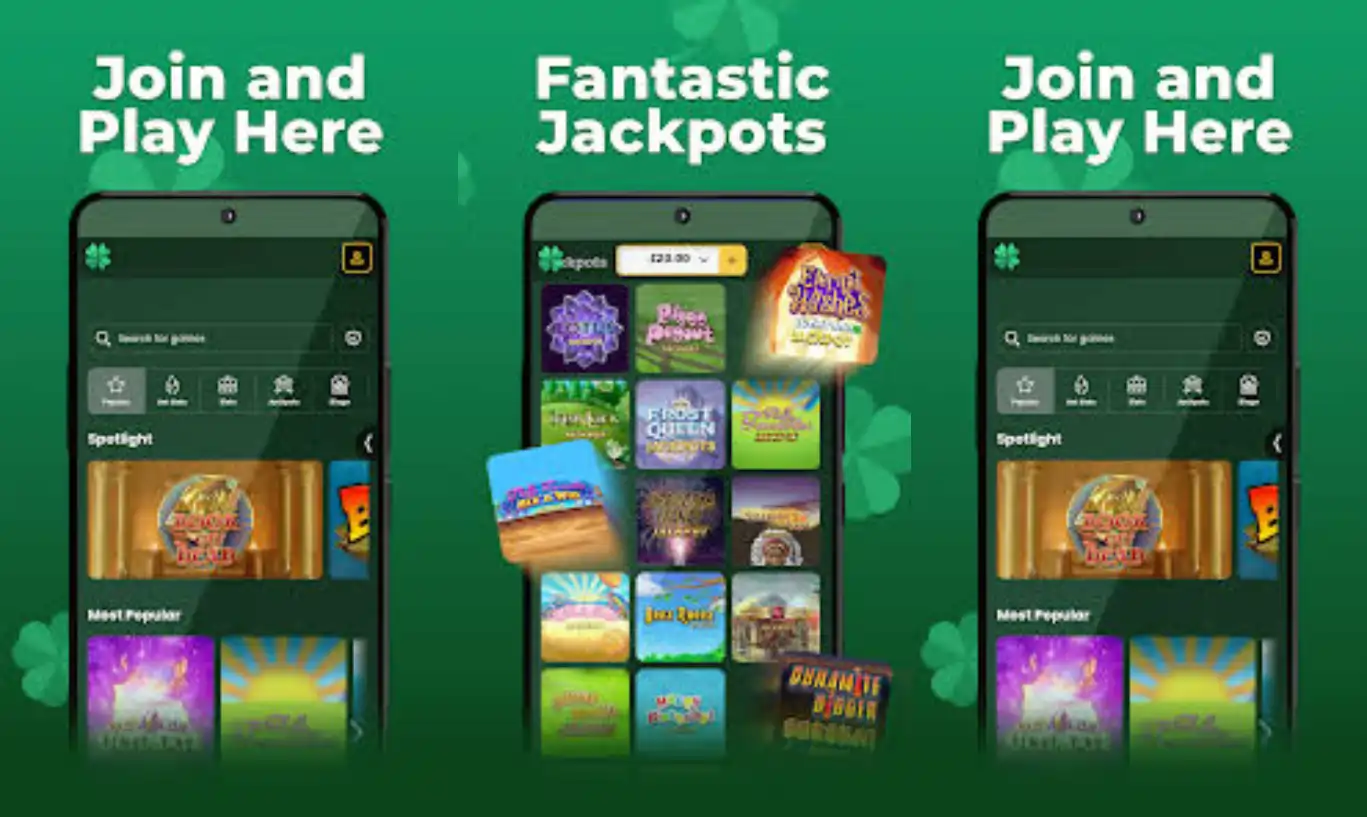

At Clover, we know that most of our players want to spin, bet, and win wherever they are, whether that's on the sofa, on a commute, or waiting in line for coffee. That's why we've built our platform to work beautifully as a mobile app-like experience straight from your browser, no downloads, no clutter, no waiting for updates. Clover Casino is fully optimised for smartphones and tablets, giving you instant access to slots, live tables, and our daily promotions from wherever you happen to be.
Whether you're an Android fan or dedicated to iOS, we at Clover have made sure our mobile casino runs smoothly across every major device. In this guide, we'll walk you through how to get started, what you can expect once you're in, and why so many players choose to play with Clover Casino on the move.
Loyalty Rewards Right From Your Pocket
We reward regular players through our Daily Wheel, available to every registered member once a day. It resets at midnight and awards free spins with no deposit required, no extra downloads necessary, it's built straight into your Clover Casino account. We also run rotating promotions like our Rewards Reel, Mega Wheel, and Bonus Wheel, all accessible directly from your mobile lobby.
Why Players Choose Our Mobile Platform
- No app store download required, just add to your home screen
- Full access to slots, live tables, and jackpots on any device
- Fast Clover login with saved credentials for quick access
- Automatic welcome bonus crediting after your first deposit
- Round-the-clock live chat support if you need assistance
Getting the Clover App on Your Device
We don't require you to visit an app store to enjoy the Clover casino app experience. Instead, our mobile site behaves exactly like a native app once you add it to your home screen, meaning you get instant access with a single tap every time.
For Android Users
- Open your preferred mobile browser and go to our official website
- Tap the browser menu and select 'Add to Home Screen'
- Confirm the shortcut, and our icon will appear alongside your other apps
- Launch it anytime for instant access to Clover Casino
For iOS Users
- Open Safari and navigate to our website
- Tap the Share icon at the bottom of the screen
- Select 'Add to Home Screen' and confirm
- Your Clover app shortcut is now ready whenever you want to play
There's no file to install, nothing to update manually, and no storage space taken up on your device. We keep everything running in the background so you always get the newest version the moment you open it.
Logging In and Registering with Clover
Getting started with us is quick, and once your account is set up, the Clover Casino login process takes just seconds on mobile. If you're brand new, here's how we've simplified registration:
- Visit our website from your mobile browser
- Tap 'Sign Up' and enter your basic details
- Confirm your email address
- Add a payment card in your own name
- Make your first deposit and claim your welcome offer
Once registered, the Clover casino login screen remembers your device, so returning players can jump straight back into their favourite slots without re-entering details every single time.
Games You Can Play via Our Mobile App
Once you're logged in, our full games library opens up right in your hand. We host over 500 slots from providers including Pragmatic Play, NetEnt, Big Time Gaming, Playtech, and Red Tiger, along with Megaways titles, Slingo, and our Jackpot King network.
We've also built out a strong live casino section, letting you play blackjack, roulette, and baccarat with real dealers streamed directly to your screen. Whether you're after quick spins between errands or a longer live casino session in the evening, our app-style layout keeps everything within easy reach.
What You'll Find in Our Mobile Lobby
- Hundreds of slots optimised for touchscreens
- Live blackjack, roulette, and baccarat tables
- Bingo rooms for players who've deposited recently
- Tournaments and promotional games like Mega Reel and Loot Chest
Fast and Secure Banking On Mobile
We support a wide range of payment options so you can top up your account and cash out winnings without switching devices. All transactions on the Clover app are encrypted and processed the same way as on desktop.
| Method | Minimum Deposit | Notes |
|---|---|---|
| Visa Debit / Mastercard Debit | £10 | Instant |
| PayPal | £10 | Fast processing |
| Skrill / Neteller | £10 | E-wallet options |
| Pay by Mobile | £10 | £2.50 transaction fee, deposit only |
Withdrawals are processed once your account passes verification checks, typically within a 72-hour pending period, followed by 1-3 working days for the funds to reach your bank. We always keep you updated on progress through your account dashboard.
Claim Your Welcome Bonus On the Go
New players joining us through the Clover app can claim our Clover Casino bonus without any extra steps. Here's what it looks like:
| Offer | Details |
|---|---|
| Welcome Bonus | 50% bonus up to £100 |
| Minimum Deposit | £10 |
| Wagering Requirement | 10x the bonus amount |
| Bonus Code | Not required |
We credit your bonus automatically after your first qualifying deposit, no promo code needed, and the offer never expires. Keep in mind that only bonus wagers count toward the requirement, real money bets are staked first, and the bonus can only be used on our eligible slot titles.
Security and Licensing You Can Trust
We operate under a UK Gambling Commission account for players in Great Britain, with the Alderney Gambling Control Commission covering customers outside Great Britain. Every session on our mobile platform is encrypted, and account verification is required before any withdrawal is released, keeping your funds and personal details protected at all times.

Final Thoughts
We built our mobile experience so you never have to choose between convenience and quality. Whether you're claiming your welcome bonus, spinning our latest slots, or sitting down at a live blackjack table, Clover Casino puts everything within reach on your phone or tablet. Add us to your home screen once, and you're set for fast, secure gaming whenever you like.
FAQ
Do you have a downloadable app in the app stores?
We don't currently offer a downloadable app through Google Play or the App Store. Instead, we provide a mobile-optimised browser experience that works just like a native app once added to your home screen.
Is the Clover app free to use?
Yes, accessing our platform on mobile is completely free. You only need funds in your account when you want to make a deposit or place real money bets.
Can I claim the welcome bonus through the mobile site?
Absolutely. Our welcome bonus of 50% up to £100 is credited automatically after your first qualifying deposit, whether you're playing on desktop or mobile.
What devices are supported?
Our mobile platform runs smoothly on both Android and iOS devices through Chrome, Safari, and most modern mobile browsers.
How do I log in if I forget my password?
Simply tap 'Forgot Password' on the Clover casino login screen, and we'll send you a secure reset link to your registered email address.
Are withdrawals slower on mobile?
No, withdrawal processing times are identical whether you play on your phone or your computer. We follow the same verification and pending period for every device.
Content updated: September 22, 2026